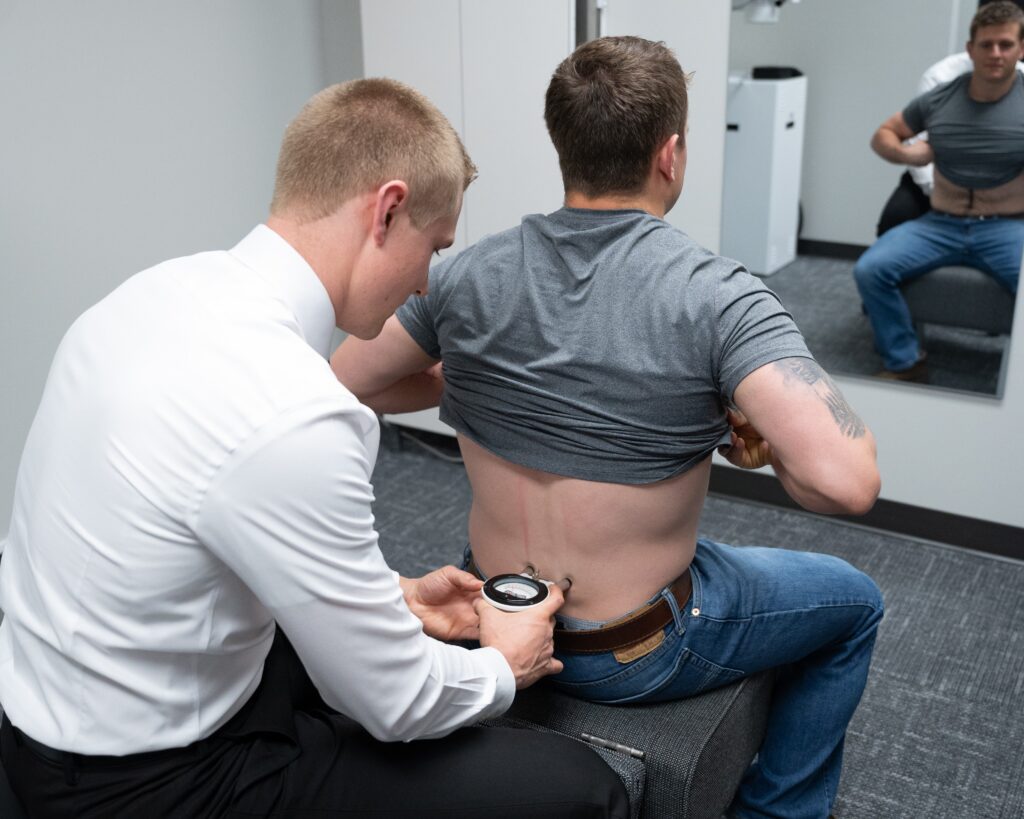

You might not realize how pivotal your posture is to your overall health, especially if you spend hours at a desk. It's not just about sitting up straight; it's about creating an environment that supports your body and encourages movement. From adjusting your chair to incorporating regular breaks, the secrets to perfect posture can transform your work experience. But what are the specific adjustments and practices that can make the most difference? Let's explore some key strategies that could change the way you feel at your desk.
Importance of Good Posture
Good posture isn't just about looking confident; it's essential for your overall health and well-being, especially if you spend long hours at a desk. When you maintain good posture, you're not just preventing back and neck pain; you're also promoting better circulation and digestion.
Sitting up straight allows your body to work efficiently, and you'll often find you have more energy throughout the day.
You mightn't realize it, but slouching can lead to muscle imbalances over time. Your muscles can weaken, leading to discomfort and even chronic pain. By practicing good posture, you engage your core muscles, which helps support your spine.
This support reduces strain on your body and can considerably lower your risk of injury.
Moreover, maintaining good posture can enhance your focus. When you're aligned correctly, your brain receives more oxygen and blood flow, which means you can think clearer and work more efficiently.
You'll find that tasks which seemed intimidating become manageable when you're not distracted by discomfort.
Good posture also positively impacts your mood. Standing or sitting tall can boost your confidence and make you feel more assertive.
This newfound confidence can translate into better interactions with colleagues and clients, enhancing your professional relationships.
Ergonomic Desk Setup
Creating an ergonomic desk setup is a vital step in maintaining the good posture you've started to prioritize. Start by adjusting your desk height so that your elbows are at a 90-degree angle when typing. If your desk is too high or low, it can lead to strain in your shoulders and neck. Consider using a height-adjustable desk or adding a keyboard tray to achieve the ideal height.
Next, position your monitor at eye level, about an arm's length away. This helps you avoid craning your neck forward or looking down, which can cause discomfort over time. Use a monitor riser if necessary, and make sure the top of the screen is at or just below eye level.
Your chair also plays an essential role in your ergonomic setup. Choose a chair that supports the natural curve of your spine. It should have adjustable features to customize the height and backrest. If your chair lacks lumbar support, consider using a cushion to help maintain proper spinal alignment.
Don't forget about your feet! Keep them flat on the floor or on a footrest to promote circulation and reduce strain on your legs.
Finally, manage your workspace to minimize clutter, making certain that everything you need is within easy reach. This will help you maintain a relaxed and efficient posture throughout your workday.
Ideal Seating Position
Sitting comfortably in your chair is essential for maintaining good posture while working at a desk. To achieve the ideal seating position, start by adjusting your chair height. Your feet should rest flat on the floor or on a footrest, with your knees at hip level or slightly lower. This alignment helps prevent strain on your lower back.
Next, guarantee your back is fully supported by the chair. An ergonomic chair with lumbar support is ideal, but if you don't have one, consider using a small cushion to support the natural curve of your spine. Keep your shoulders relaxed and avoid hunching forward; your upper arms should hang comfortably at your sides.
Position your computer screen at eye level to minimize neck strain. You shouldn't have to tilt your head up or down to see the screen clearly. If you're using a laptop, consider raising it on a stand or using an external monitor to create the right height. Your elbows should be close to your body and form an angle between 90 and 120 degrees when typing.
Lastly, keep your wrists straight and hands slightly below elbow level while using the keyboard. This position reduces the risk of repetitive strain injuries.
Stretching and Movement Breaks
Even with the perfect seating position, taking regular breaks for stretching and movement is essential for maintaining good posture and overall health.
When you sit for long hours, your muscles can become tense and fatigued, leading to discomfort and poor posture. Incorporating short breaks into your work routine can make a significant difference.
Here are three effective strategies to keep you moving:
- Set a Timer: Use your phone or computer to set a timer for every 30 to 60 minutes. When it goes off, stand up and stretch or walk around for a couple of minutes. This simple action helps relieve tension and encourages blood circulation.
- Incorporate Simple Stretches: Standing or sitting, do some light stretches during your breaks. Focus on your neck, shoulders, and back. For instance, gently tilt your head side to side, roll your shoulders, or reach your arms overhead. These small movements can alleviate stiffness and improve flexibility.
- Walk During Calls: If you're on a phone call or video conference, consider walking around instead of staying seated. This not only gets you moving but can also enhance your creativity and focus during discussions.
Mindfulness and Posture Awareness
Mindfulness can be a game-changer when it comes to maintaining good posture throughout your workday. By practicing mindfulness, you can develop a heightened awareness of your body and its positioning, which is essential for preventing discomfort and long-term health issues. Instead of getting lost in tasks, take a moment to check in with yourself. Notice how you're sitting and whether your body is aligned properly.
Start by setting reminders to pause throughout the day. Use an app or simply set a timer. When it goes off, take a deep breath, and consciously assess your posture. Are your shoulders slouched? Is your back rounded? By bringing your awareness back to your body, you can make immediate adjustments that promote better alignment.
Incorporate mini mindfulness exercises to help reinforce this awareness. For instance, while typing, periodically focus on the sensations in your body. Are your feet flat on the ground? Is your screen at eye level? These simple checks can transform your posture habits over time.
Additionally, consider practicing mindfulness during your breaks. Step away from your desk and engage in a brief meditation or stretching session. This not only resets your mind but also allows you to reconnect with your body, reinforcing the importance of good posture.
Conclusion
Incorporating these secrets into your daily routine can transform your posture and overall well-being. By setting up your desk ergonomically, adjusting your seating position, taking regular movement breaks, and practicing mindfulness, you'll not only feel better but also boost your productivity. Remember, good posture isn't just about looking confident; it's about supporting your body and preventing discomfort. Start today, and enjoy the benefits of perfect posture as a desk worker!