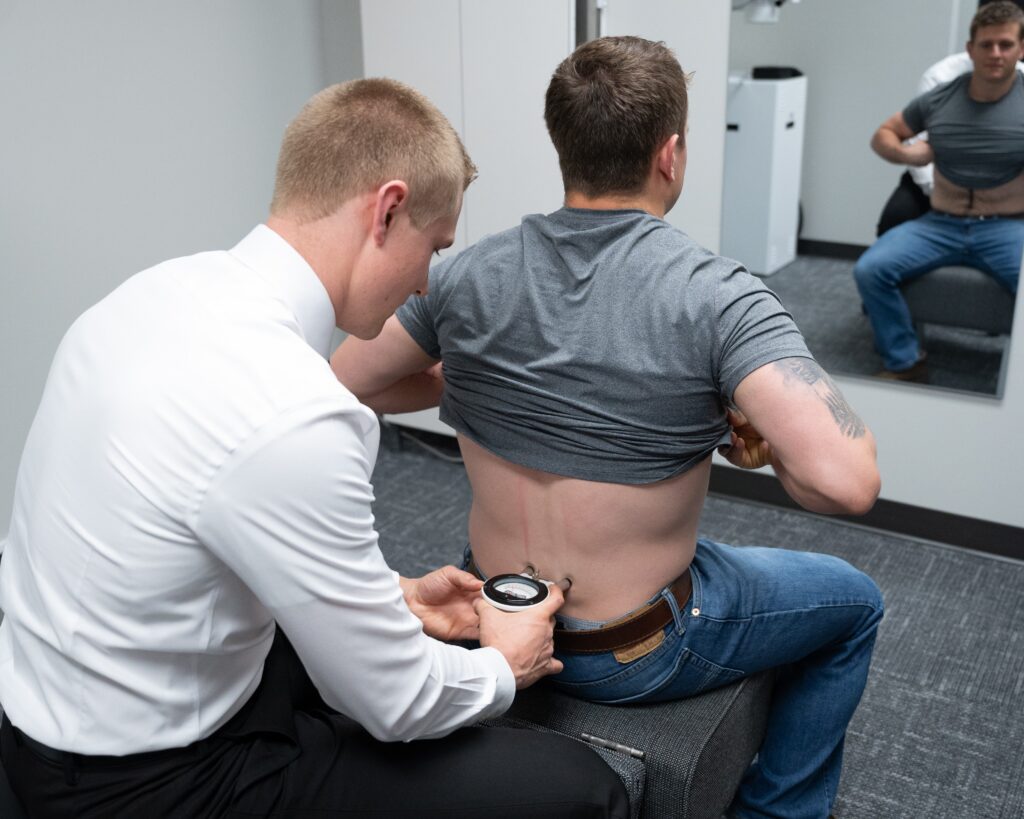

You might not realize how much your desk setup affects your posture and comfort throughout the day. Simple adjustments, like the height of your chair or the position of your monitor, can make a noticeable difference. By fine-tuning these elements, you can alleviate discomfort and potentially enhance your productivity. But what specific changes should you consider, and how can they transform your daily experience? Exploring these adjustments could lead to insights that improve your work environment considerably.
Understanding Desk Job Posture
When you sit at your desk for long hours, understanding proper posture becomes vital. It's not just about looking professional; it's about maintaining your health and comfort.
Start by positioning your chair so that your feet rest flat on the floor or on a footrest, ensuring your knees align with your hips. This simple adjustment can reduce strain on your lower back.
Next, focus on your back. Sit back in your chair and use a lumbar support cushion or a rolled towel to support the natural curve of your spine. Keep your shoulders relaxed, not hunched, and avoid leaning forward. This helps in minimizing tension in your neck and upper back.
Your arms also play an important role in maintaining good posture. Adjust your armrests so they support your elbows at a 90-degree angle. Your wrists should be straight and level with the keyboard, preventing discomfort during typing.
If you're using a mouse, keep it close to your keyboard to avoid stretching.
Lastly, consider your screen height. Position your monitor so that the top of the screen is at or just below eye level. This prevents you from craning your neck and helps keep your head aligned with your spine.
Importance of Ergonomics
Ergonomics is essential for anyone spending long hours at a desk.
By optimizing your workspace, you can reduce physical discomfort, enhance your productivity levels, and prevent long-term injuries.
Making these adjustments isn't just about comfort; it's about creating a sustainable work environment.
Reducing Physical Discomfort
Adjusting your workspace can greatly reduce physical discomfort and enhance your overall well-being. When you spend hours at your desk, it's important to prioritize ergonomics to prevent strain and injury.
Start by positioning your chair so your feet rest flat on the floor and your knees are at a 90-degree angle. This simple adjustment can alleviate pressure on your lower back.
Next, make sure your monitor is at eye level. If you have to look down or up constantly, it can lead to neck and shoulder pain. A monitor stand or adjustable arm can help you achieve this ideal height.
Don't forget about your keyboard and mouse; they should be within easy reach to keep your wrists straight and relaxed. Using a wrist rest can also minimize strain.
Regular breaks are important too. Stand up, stretch, and walk around every hour to break the cycle of sitting.
These small changes in your workspace can greatly reduce discomfort, making your workday more enjoyable. Remember, investing in your posture isn't just about comfort; it's about protecting your health in the long run.
Enhancing Productivity Levels
Making ergonomic adjustments not only enhances comfort but also boosts productivity levels. When your workspace is optimized for your body, you can focus better on your tasks without the distractions of discomfort or strain.
A well-set-up desk, chair, and monitor position allow you to maintain your concentration for longer periods, leading to increased efficiency and output. If your chair supports your lower back and your monitor is at eye level, you'll naturally find it easier to immerse yourself in your work.
You won't waste time adjusting your position or taking unnecessary breaks to relieve discomfort. Instead, you can maintain a steady workflow, which is vital for meeting deadlines and achieving your goals.
Additionally, taking regular breaks to stretch and move, even in an ergonomic setup, can enhance your mental clarity. This simple practice keeps your energy levels up, improving not just your physical well-being but also your cognitive function.
Incorporating ergonomic principles into your workspace isn't just about comfort; it's a smart investment in your productivity. By creating an environment that fosters focus and efficiency, you're setting yourself up for success in your desk job.
Preventing Long-term Injuries
Poor posture and improper desk setups can lead to long-term injuries that impact your health and well-being. When you sit for hours in a slouched position, you strain your back, neck, and shoulders. Over time, this can result in chronic pain, discomfort, and even conditions like carpal tunnel syndrome.
To prevent these injuries, it's important to prioritize ergonomics in your workspace. Start by adjusting your chair so your feet rest flat on the floor, and your knees are at a 90-degree angle. Your monitor should be at eye level to avoid leaning forward, which puts unnecessary strain on your neck.
Don't forget about your keyboard and mouse positioning; they should be close enough to avoid overreaching. Take regular breaks to stand, stretch, and move around. This not only helps relieve tension but also improves blood circulation.
Investing a little time in your desk setup can save you from significant pain and medical expenses down the line. By making these simple adjustments, you can create a healthier work environment that supports your well-being and keeps you feeling your best every day.
Chair Height Adjustments
Finding the right chair height is essential for maintaining comfort and preventing strain during long hours at your desk. If your chair's too high or too low, it can lead to discomfort in your back, neck, and legs.
To adjust your chair, start by sitting all the way back against the seat. Your feet should rest flat on the floor, with your knees at or slightly below hip level. If your knees are higher than your hips, raise your chair until they're even. On the other hand, if your feet dangle, lower the chair.
Next, pay attention to your arm position. Your elbows should be at a 90-degree angle or slightly obtuse when typing. This position minimizes strain on your shoulders and wrists. If your arms are too high, consider lowering the chair or using a footrest to elevate your feet—this adjustment can help align your body properly.
Remember, your chair should support your lower back. If it doesn't, you might need a lumbar cushion or a chair with better back support.
Also, don't forget to check the chair's armrests. If they're adjustable, set them at a height that allows your shoulders to relax while keeping your elbows close to your body.
Finally, take a moment to test your adjustments. Spend a few minutes sitting comfortably, and make minor tweaks if necessary. Once you find the right height, you'll likely notice an improvement in your overall comfort and productivity throughout the day.
Screen Positioning Tips
Getting your screen positioned correctly is essential for comfort and productivity.
You should adjust your monitor height so your eyes are level with the top of the screen, and keep it about an arm's length away.
Also, consider glare factors to guarantee you're not straining your eyes while you work.
Monitor Height Adjustment
Many people overlook the importance of monitor height adjustment, yet proper screen positioning can greatly enhance your comfort and productivity.
To achieve the right height, position your monitor so that the top of the screen is at or just below eye level. This allows you to maintain a neutral neck position, reducing strain and discomfort.
When you're seated, your eyes should naturally align with the center of the screen. If you find yourself tilting your head up or down to see the display clearly, it's time to make some adjustments. Use a monitor stand, books, or adjustable arms to elevate or lower your screen as needed.
Additionally, keep the monitor about an arm's length away. This setup not only prevents eye strain but also encourages good posture by allowing you to sit back comfortably in your chair.
If you wear glasses, make sure your screen is positioned to minimize glare from overhead lights or windows.
Regularly assess your monitor height and make changes as necessary. By ensuring your screen is at the appropriate height, you'll create a more ergonomic workspace that supports better posture throughout your workday.
Optimal Viewing Distance
Once you've adjusted your monitor height, it's time to focus on ideal viewing distance. Ideally, your screen should be about an arm's length away from your eyes. This distance helps reduce eye strain and keeps your neck in a comfortable position. If you find yourself leaning forward or squinting, your monitor might be too close or too far away.
To find your best distance, sit comfortably in your chair and extend your arm. Your fingertips should lightly touch the screen. You want to confirm your eyes are level with the top of the monitor, allowing you to look slightly downward at the screen. This position encourages a natural posture and minimizes the risk of discomfort over long periods.
Take a moment to adjust your chair or desk if necessary to maintain this distance. Remember, it's essential to avoid craning your neck or hunching your shoulders.
You might also want to take into account the size of your screen; larger monitors may require a bit more distance. By positioning your monitor correctly, you'll set yourself up for better focus and productivity throughout your workday.
Reduce Glare Factors
To minimize glare on your screen, position it at an angle that reduces reflections from windows and overhead lights. Ideally, your screen should be perpendicular to windows and at a slight tilt, so it catches less light.
If you can, use curtains or shades to control the sunlight streaming in, making it easier to see your screen without straining your eyes.
Additionally, consider using an anti-glare screen filter. This can greatly reduce reflections and improve your viewing experience.
If you work in a brightly lit area, fluorescent lights can also contribute to glare. You might want to adjust the brightness of your screen to counteract this effect.
Make sure your monitor is about an arm's length away, positioned so the top of the screen is at or just below eye level. This positioning not only helps reduce glare but also promotes better posture.
Finally, take regular breaks to give your eyes a rest. Blink often to keep your eyes moist and consider the 20-20-20 rule: every 20 minutes, look at something 20 feet away for 20 seconds. This will help reduce eye strain and maintain your comfort throughout the day.
Keyboard and Mouse Setup
A well-organized keyboard and mouse setup is vital for maintaining comfort and efficiency during long hours at your desk. Start by positioning your keyboard directly in front of you, making sure it's at a height that allows your elbows to stay close to your body and bent at about 90 degrees. This helps prevent strain on your shoulders and wrists. If your desk is too high, consider using a keyboard tray or an adjustable desk to find the right level.
Your mouse should be placed on the same surface as your keyboard, within easy reach. This keeps your arm relaxed and minimizes the risk of repetitive strain injuries. Confirm it's aligned with your keyboard, so you don't have to stretch or twist your wrist to use it. Look for a mouse that fits comfortably in your hand, and if you often use it for extended periods, consider an ergonomic option to reduce fatigue.
Take a moment to adjust your wrist position. Your wrists should float comfortably above the keyboard while typing, avoiding any pressure on the wrist or forearm. Using a wrist rest can provide additional support, but it's vital to guarantee your wrists remain in a neutral position.
Lastly, consider the angle of your keyboard. Tilting it slightly can help with ergonomics, but don't overdo it; a flat position is often best for most users.
Foot Positioning Strategies
Proper foot positioning plays an essential role in your overall desk posture and comfort. When sitting at your desk, your feet should rest flat on the floor or on a footrest, ensuring your knees are at a 90-degree angle. This setup not only stabilizes your lower body but also helps maintain a neutral spine position.
If your feet dangle or are propped on an inappropriate surface, you might experience discomfort or strain. To avoid this, adjust your chair height so your feet can comfortably reach the ground. If your chair is too high, a footrest can bridge the gap, allowing your feet to rest flat while keeping your knees level with or slightly below your hips.
You should also avoid crossing your legs, as this can create uneven pressure on your lower back and hips. Instead, keep your feet shoulder-width apart to distribute weight evenly.
If you find yourself sitting for long periods, consider shifting your foot position occasionally. Placing one foot slightly forward or back can help relieve tension and keep blood flowing.
Lastly, consider wearing supportive footwear. Soft soles or high heels can lead to discomfort and poor posture. Opt for shoes that provide adequate support, allowing your feet to align properly with your body.
Stretching and Movement Breaks
Incorporating stretching and movement breaks into your work routine can greatly enhance your overall comfort and productivity. Sitting for long periods can lead to stiffness, fatigue, and discomfort. By integrating regular breaks to stretch and move, you'll alleviate tension and improve your focus.
Set a timer to remind yourself to take a break every hour. During these breaks, stand up, walk around, or perform gentle stretches. Simple neck rolls, shoulder shrugs, and wrist stretches can relieve tightness. You might also try standing up and reaching for the ceiling or bending to touch your toes. These movements stimulate blood flow and refresh your body.
Consider using a standing desk or alternating between sitting and standing throughout the day. This change in position allows different muscle groups to engage, reducing the risk of strain. If you can, step outside for a quick walk or do a few jumping jacks—this boosts your energy levels and clears your mind.
Don't overlook the power of micro-movements, either. Even small adjustments like shifting your weight from one foot to the other or rotating your hips can make a difference.
The key is consistency; make these breaks a regular part of your routine.
Conclusion
By making simple adjustments to your workspace, you can greatly improve your posture and comfort during long hours at your desk. Remember to adjust your chair height, position your monitor correctly, and keep your wrists neutral while typing. Don't forget to check your foot positioning and take regular movement breaks. These small changes can help reduce discomfort and the risk of injury, allowing you to work more efficiently and comfortably. Start implementing these tips today for a healthier workday!